AI agent observability: healthy agents can still be wrong

CTO of MadAppGang
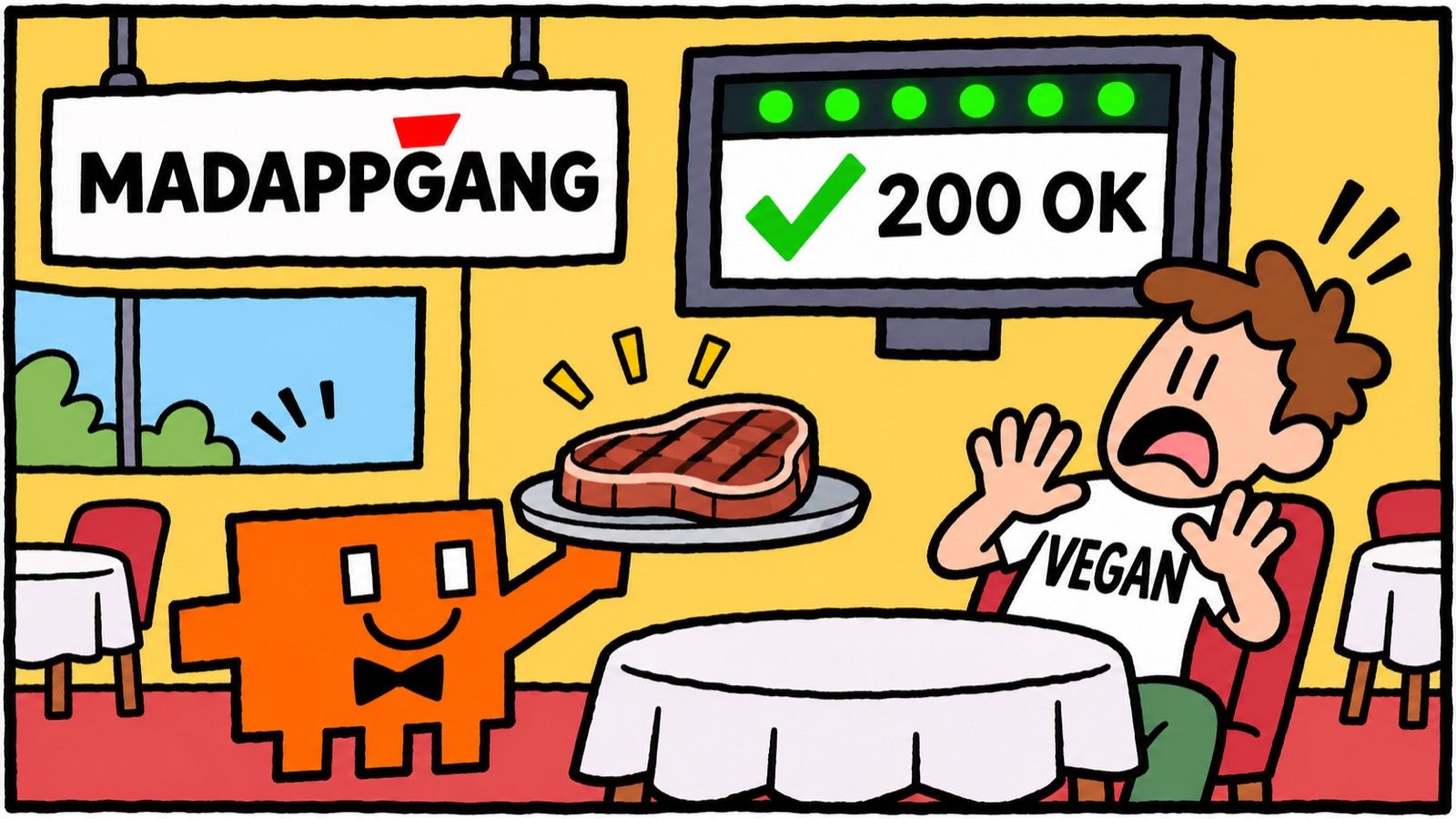
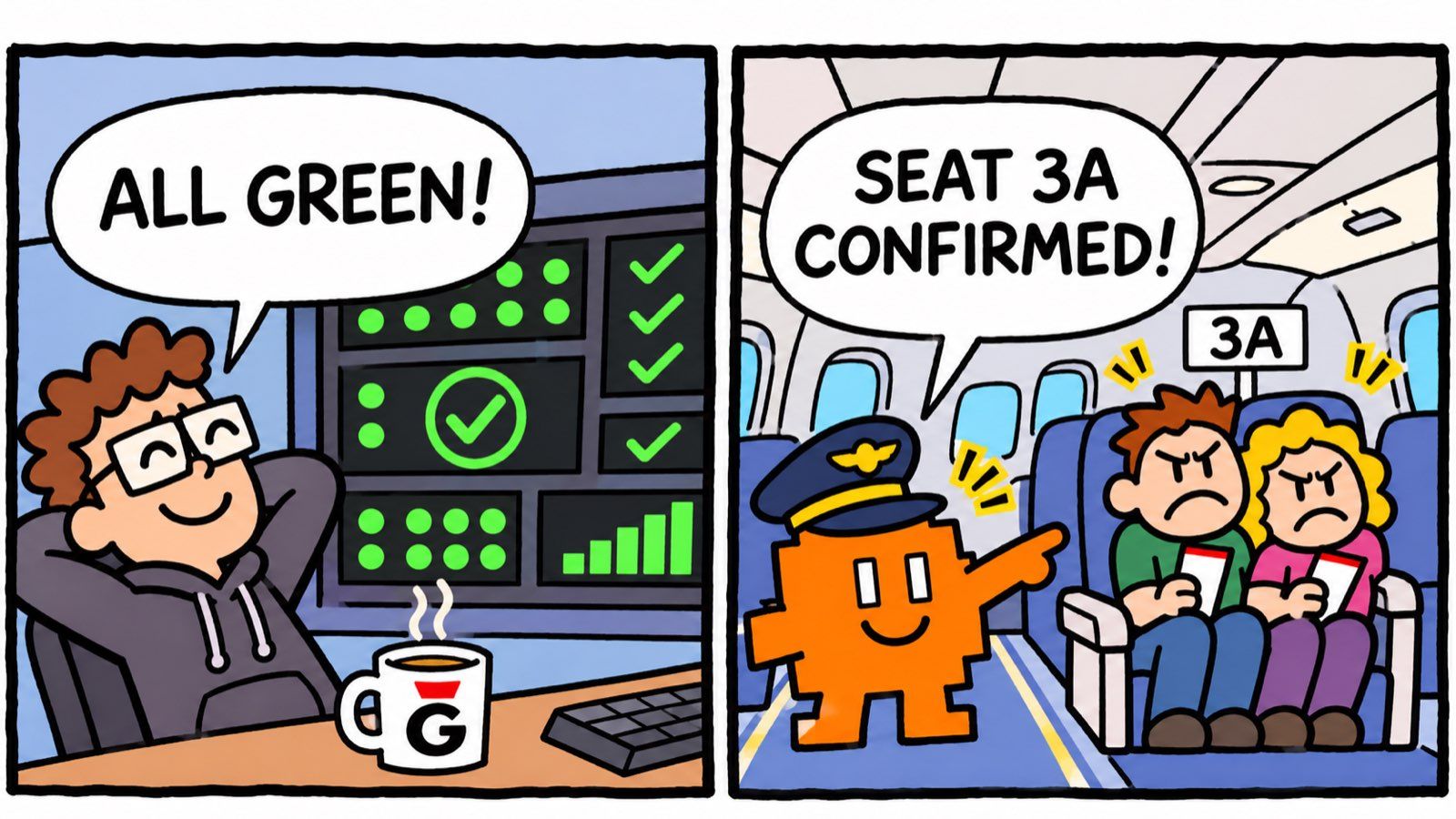
Google published a demo on 8 October where a travel agent returned HTTP 200 on every request. It stayed inside its latency budget, and no tool call threw an error. It also saved seat 3A as confirmed without ever asking the seat-selection sub-agent if 3A was free. Then it recommended a Florentine steakhouse to a traveller whose profile says vegan.
Every dashboard stayed green the whole time.
That demo came with AQuA, Google's open-source "ambient quality agent". Most of the post matches what we hit when we tested our own agents at MadAppGang, only Google built the production version.
TL;DR: AI agent observability can't stop at uptime, exceptions and token counts, because the expensive agent failures return 200 OK. You need a second loop that reads real sessions, checks them against your business rules, verifies every finding against the full transcript, and turns each confirmed failure into a regression test. Google's AQuA is a reference implementation of that loop. Our 95-test delegation study shows the same idea at lab scale.
Healthy is not the same as correct
Classic observability answers one question: is the service alive and fast? For a REST API that's most of the story. If it returns 200 in 80 ms, it probably did its job.
An agent can return 200 and still break the one rule your business cares about. In Google's travel-concierge sweep, three failures stood out:
- The planning agent wrote a seat straight into session state without checking availability. That happened in 15 of 32 sessions.
- The traveller's vegan preference got lost on the way from one sub-agent to another. The receiving agent never saw the profile, so it suggested carbonara and steak. That happened in 7 sessions.
- A point-of-interest agent was told to return verified map and image links, but it was declared with an empty tool list. So it invented
https://example.com/...URLs, 5 sessions in a row.
None of these raise an exception. The model did exactly what its prompt and tools allowed. A health check tells you the waiter came to work today. It doesn't tell you he just brought steak to the vegan table.
This is the gap I mean by AI agent observability. Traces, latency and token usage are still needed. They're just the floor.
What Google's AQuA actually does
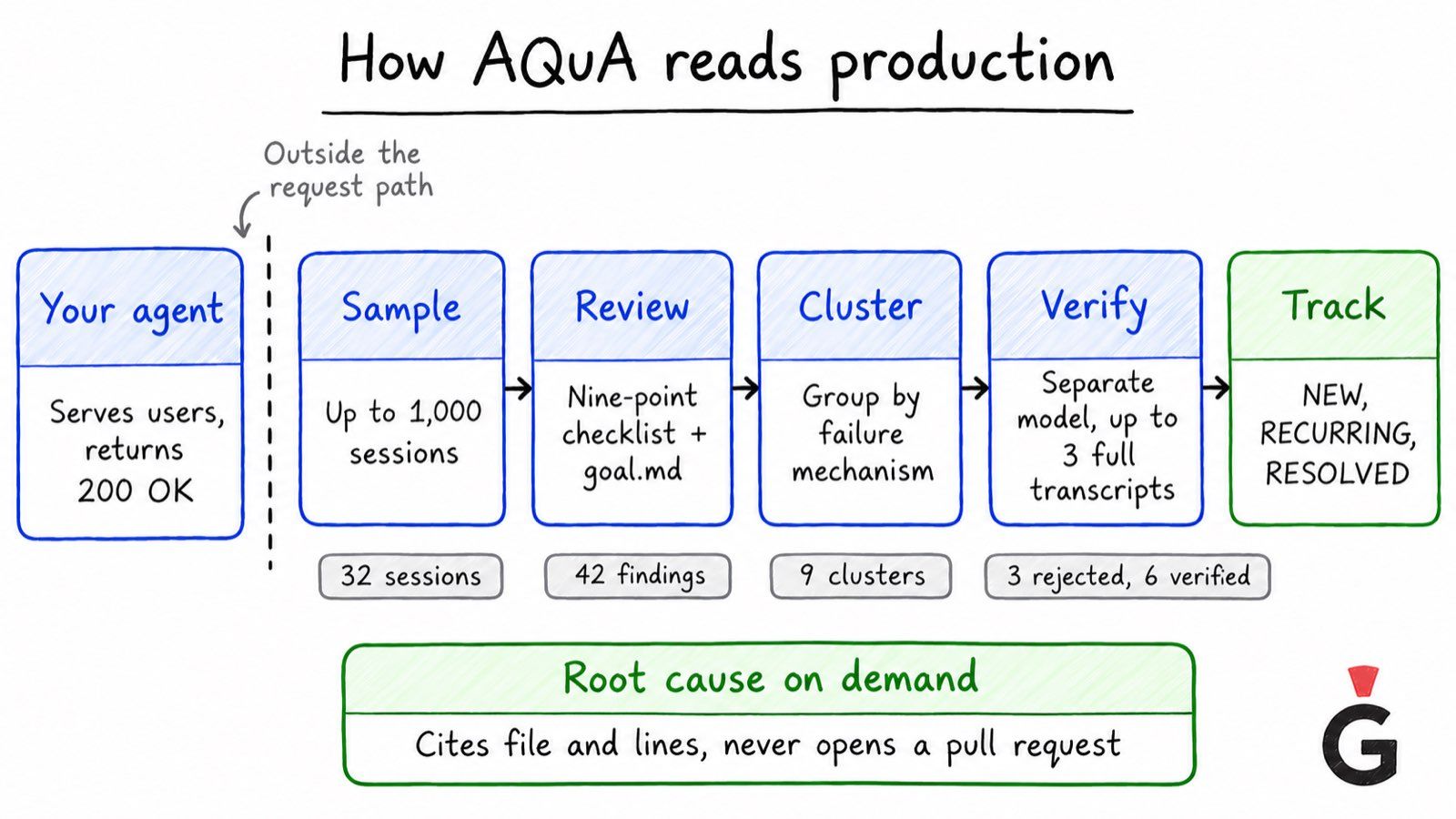
AQuA runs beside your agent in your own Google Cloud project. It's never in the request path, and it never writes back to the agent. According to Google's launch post, each run goes through five stages:
- Sample. It pulls a random sample of up to 1,000 recent sessions from Cloud Trace, Cloud Logging or BigQuery.
- Review. A model grades each session against a nine-point checklist (procedure, tool choice and arguments, grounding, task completion and others). You can steer it with a plain-English
goal.md. Every failure becomes an "actual / expected" finding. - Cluster. Findings with the same failure mechanism get grouped.
- Verify. A separate model checks each cluster against up to three full transcripts and throws out the ones the evidence doesn't support.
- Track. Surviving clusters become insights in BigQuery, marked NEW, RECURRING, or RESOLVED after 14 days without a repeat.
When you want the root cause, AQuA reads the failing sessions next to a source snapshot taken at deploy time. It cites the exact file and lines and proposes an edit. It never applies the edit and never opens a pull request. A person or a coding agent does that part.
The numbers from the demo are worth a look. 32 sessions produced 42 findings in 9 clusters. The verifier rejected 3 of them, which left 6 real issues. After two one-line prompt fixes, the seat bypass dropped from 15 sessions to 2, the vegan problem from 7 to 0, and full passes went from 5 of 32 to 13 of 32. The whole sweep cost $3.76, about 12 cents a session. The code is on GitHub if you want to run the dashboard on synthetic data.
A judge model gives you a hypothesis
The part I like most is the one Google spends the most words on. A model that grades another model will sometimes be wrong. So in AQuA a cluster is only a claim until the verifier confirms it against full transcripts. On Google's internal 87-trace benchmark, the verifier rejected 4 of 24 candidate clusters.
Two of the three rejected clusters in the demo are good examples. In both, the traveller had asked to skip a step. The judge saw a skipped step and called it a bug. The transcript showed the user asked for it.
There's no confidence score in the insight schema either. An insight is its citations: session IDs you can open, and file and line ranges the server checks against the deployed snapshot.
"Why not trust the judge if it's a good model, Jack?" you'll ask me. And it's a great question.
Because a judge is confident in the same way the agent is confident. We keep the pass/fail tier of MadBench, our eval rig, deliberately stupid: deterministic diffs, OCR against golden screenshots, no language model in the decision. In our local browser agent benchmark, checking real browser state after each action took a local cascade from 73.3% to 95.2%. Checking beats believing.
What AI agent observability needs besides uptime
Our conclusion is short. Uptime, exceptions and token usage tell you the agent is running. They can't tell you it's right. For that you need a separate quality loop with two jobs:
- Watch business invariants. These are rules that must hold in every session, written in your domain's language. "A seat is confirmed only after an availability check." "The traveller's dietary profile reaches every sub-agent that recommends food." "Every URL in an answer came from a tool result." Some you can check with plain code. Some need a judge, and then a verifier.
- Turn production failures into regression tests. A verified failure that doesn't become a test will come back with the next model upgrade, and nobody will notice for a month.
The second job is where most teams stop. They get a nice dashboard of problems and then fix them by hand, one at a time, with no memory.
Our 95-test study, and how to make it continuous
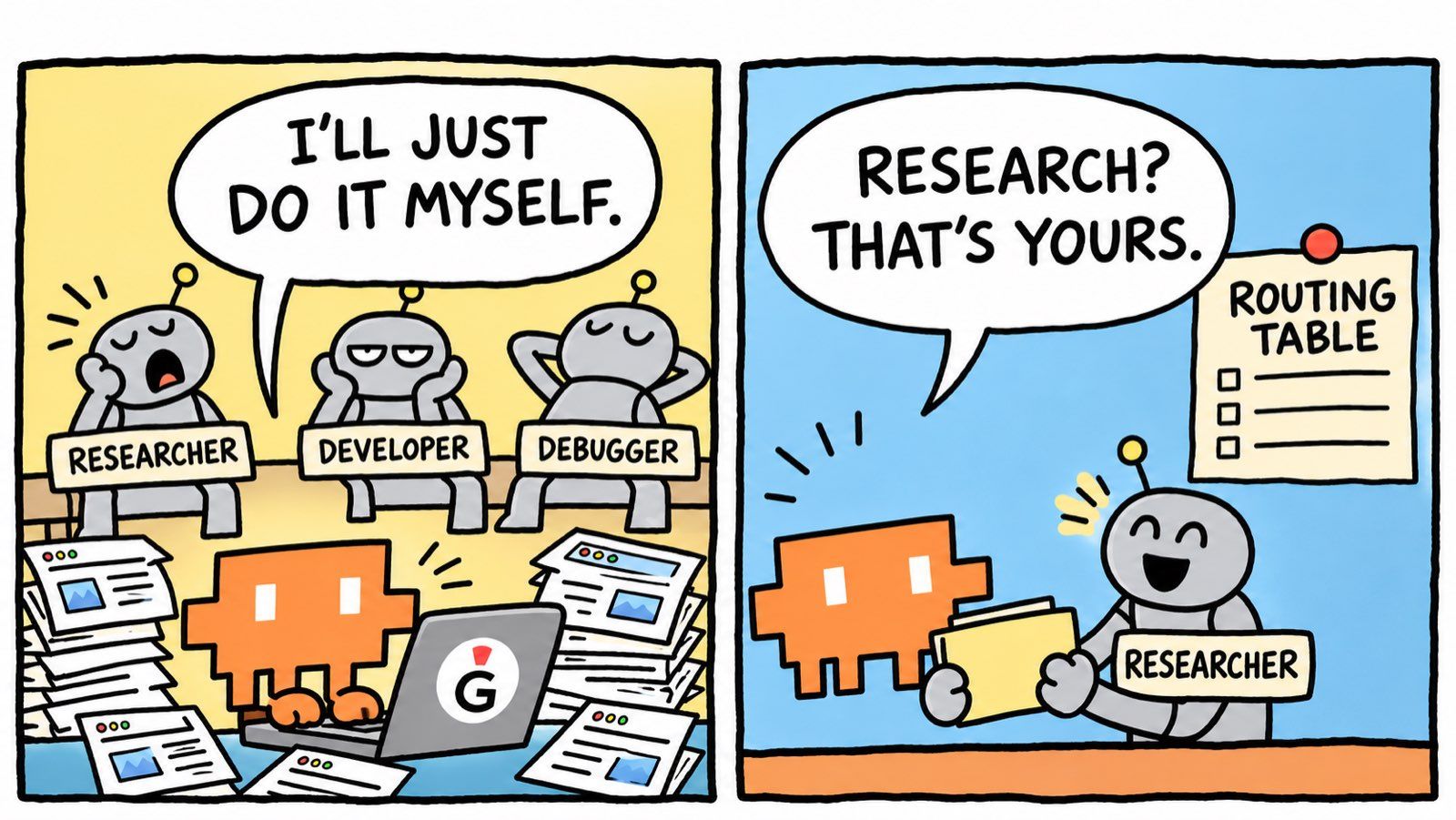
Earlier this year we wrote about the more than 30 specialised agents we built for Claude Code, including a researcher, a developer and a debugger. Claude ignored them. We spent about 10 hours and ran 95 automated tests across 6 configurations to find out why.
The failure looked exactly like Google's. Nothing errored. When we asked for research, Claude just ran its own web search inline instead of delegating. Our test runner parsed each JSONL transcript for the first Task tool call, and the failure was simply its absence. We called that result NO_DELEGATION.
The baseline passed 11 of 14 cases. Three rounds of better agent descriptions, examples and an "IMPORTANT" directive gave exactly zero improvement. A 14-line routing table in CLAUDE.md took the suite to 14 of 14.
That suite did its job. It's also a lab. We wrote all 14 cases ourselves, and real users don't read our test file before they type.
This is how I'd turn it into a production loop, step by step:
- Keep the detector. The transcript parser that found
NO_DELEGATIONis already a deterministic metric. Run it over a sample of real sessions every night, not just over 14 prompts. - Write the invariants down. "Research that needs 3+ sources goes to the researcher agent." "Simple questions never delegate." That's our routing table, rewritten as rules a reviewer can check.
- Cluster the misses. Group failed sessions by task type and by the CLAUDE.md revision they ran on. One cluster per mechanism, not per session.
- Verify before acting. Read up to three full transcripts per cluster. If the user said "just do it yourself", it's not a routing failure.
- Promote to the suite. Every verified cluster adds one case to the regression suite, with the real user prompt. The 14 cases grow every week.
Over a few months the suite turns into a record of what production taught us.
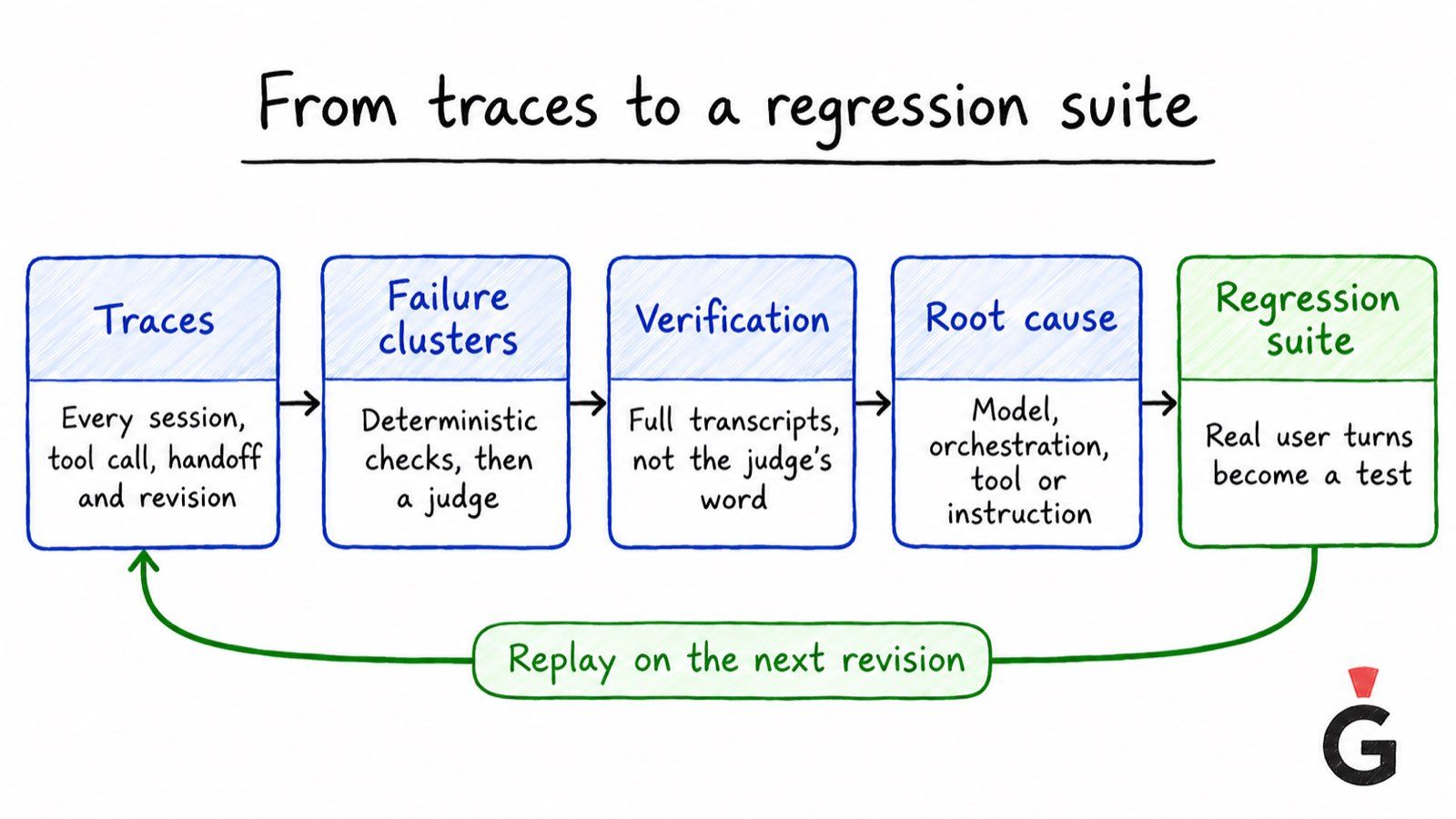
A practical workflow: traces to regression suite
This is the loop I'd set up for any agent in production, with or without Google Cloud.
1. Traces
Capture every session with full context: user turns, model turns, tool calls with arguments and results, sub-agent handoffs, and the deployed revision. OpenTelemetry spans are fine. Logs without the revision are much less useful, because you can't tell which prompt produced the failure.
2. Failure clusters
Sample sessions on a schedule and after every deploy. Run deterministic checks first, they're cheap and they don't argue. Then run a judge against your invariants and your goal.md. Group findings by mechanism.
3. Verification
Treat every cluster as a hypothesis. Check it against full transcripts with a separate model or a person. Write down what you rejected and why, so the same false alarm doesn't come back next week.
4. Root cause
Read the failing sessions next to the exact code and prompt revision that produced them. Decide which layer owns it: the model, the orchestration, a tool contract, or a missing instruction. Google's demo had all four kinds. Each one has a different owner and a different fix.
5. Regression suite
Take the real user turns from a failing session and add them as a test case before you fix anything. Watch it fail, fix, watch it pass. Then replay the same sample against the new revision, like Google did with 32 sessions.
One honest limit, also from Google's post: replaying recorded user turns doesn't restore the outside world. If a database row changed or an API timed out, the replay goes a different way. Mock the tools for those cases, or accept a looser check.
Where I'd start on Monday
You don't need the full platform on day one. I'd pick one agent and write five invariants for it. I'd add one deterministic check per invariant where code can do it. Then I'd read 20 real sessions by hand, because the first clusters are usually obvious to a person.
After that, automate the reading. AQuA is a good reference even if you're not on Google Cloud, since the shape is the same everywhere: sample, review, cluster, verify, track.
Your agent will pass every health check tomorrow. I'd still like to know whether it booked the right seat.
FAQ
What is AI agent observability?
It's knowing whether an agent did the right thing, not only whether it was up. That means tracing every session with its tool calls, handoffs and deployed revision, and checking those sessions against business rules. Uptime, latency and token usage are the base layer.
Why do health checks miss agent failures?
Because the worst agent failures return 200 OK. In Google's AQuA demo the agent confirmed an unverified seat, lost a vegan preference between sub-agents and invented URLs while every infrastructure check stayed green.
What is Google AQuA?
AQuA (Ambient Quality Agent) is an open-source reference implementation Google released on 8 October 2026. It samples up to 1,000 production sessions per run, reviews and clusters failures, verifies clusters against full transcripts with a separate model, and diagnoses root causes against a deploy-time source snapshot. It never applies edits or opens pull requests.
Can you trust an LLM judge to find agent failures?
Not on its own. Its findings are hypotheses until they're checked against full transcripts. In Google's demo the verifier rejected 3 of 9 candidate clusters, and in two of them the user had asked for the behaviour the judge flagged.
How do you turn production failures into regression tests?
Take the user turns from a verified failing session, add them to your test suite as a new case, confirm it fails, fix the cause, and confirm it passes. Then replay the same sample of sessions against the new revision to check the fix didn't break anything else.

